Rotation Type: Dual-PhaseThis rotation maintains two active credential sets with overlapping validity, ensuring zero-downtime during rotation cycles.
Prerequisites
- Ensure you’ve configured the service principal for rotation. See Configure Permissions for Secret Rotation.
- Ensure your network security policies allow incoming requests from Infisical to this rotation provider, if network restrictions apply.
Create a Databricks Service Principal Secret Rotation in Infisical
-
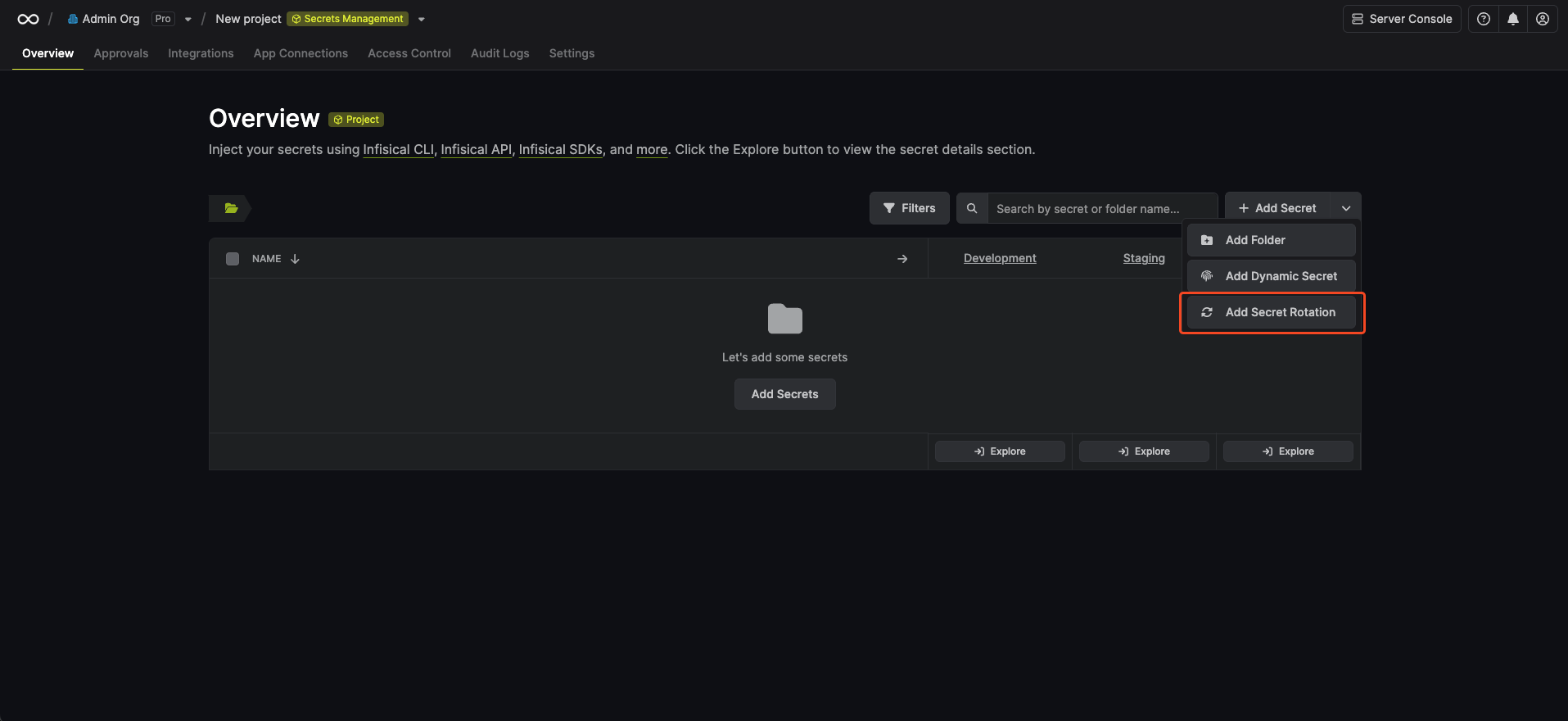
Navigate to your Secret Manager Project’s Dashboard and select Add Secret Rotation from the actions dropdown.
-
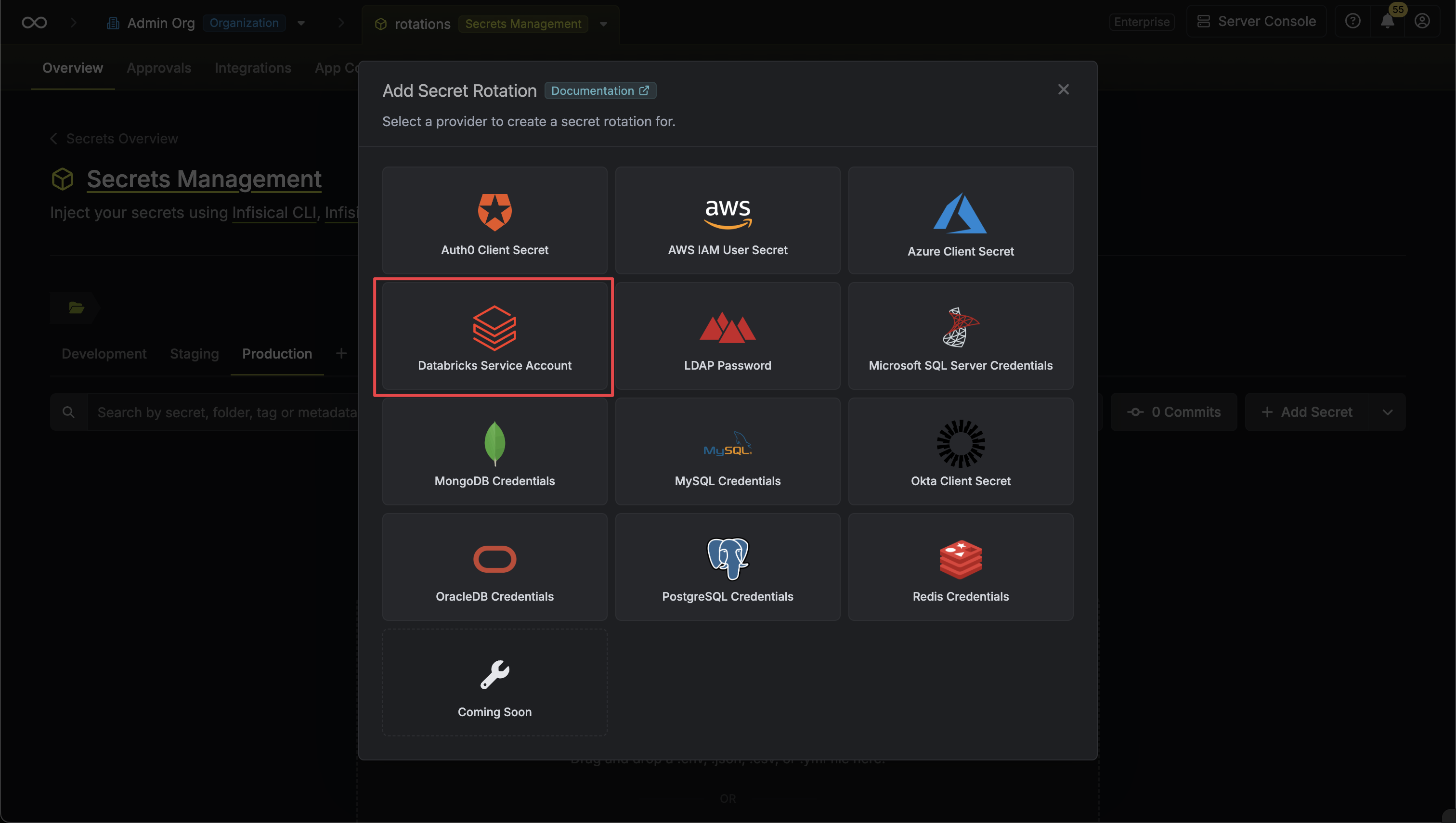
Select the Databricks Service Principal Secret option.
-
Select the Databricks Connection to use and configure the rotation behavior. Then click Next.
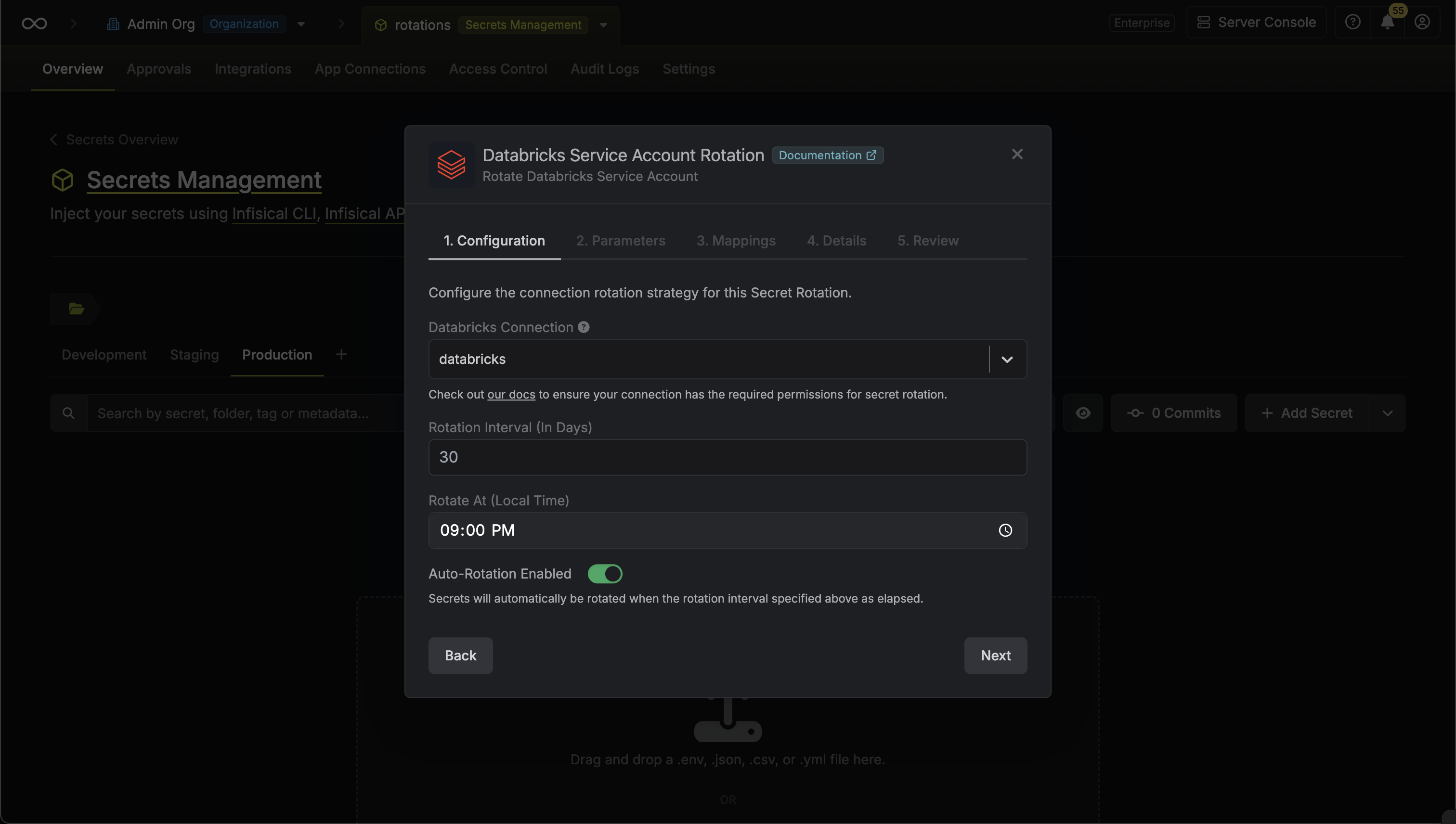
- Databricks Connection - the connection that will perform the rotation of the specified service principal’s OAuth secret.
- Rotation Interval - the interval, in days, that once elapsed will trigger a rotation.
- Rotate At - the local time of day when rotation should occur once the interval has elapsed.
- Auto-Rotation Enabled - whether secrets should automatically be rotated once the rotation interval has elapsed. Disable this option to manually rotate secrets or pause secret rotation.
-
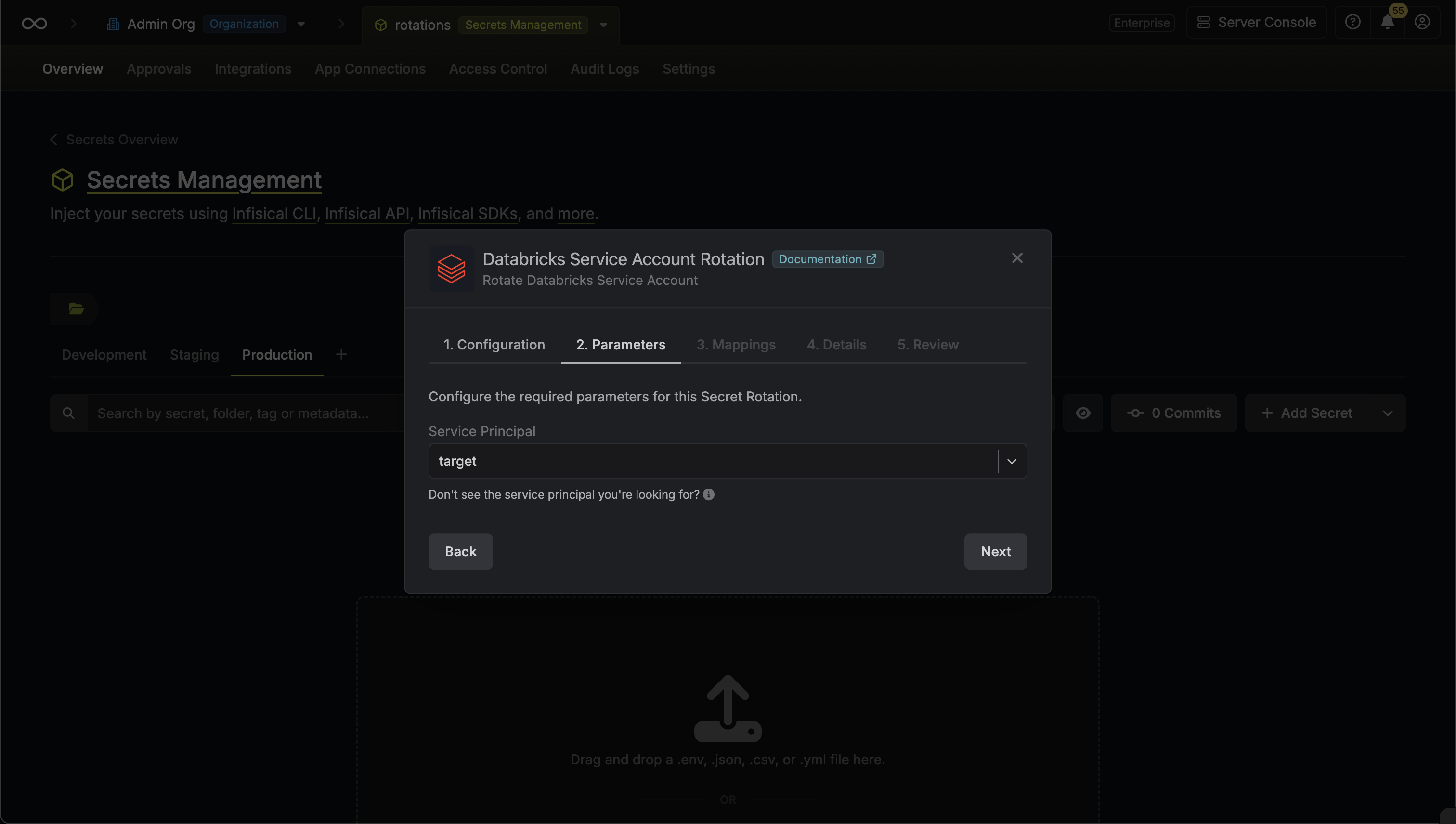
Select the Databricks service principal whose OAuth secret you want to rotate. Then click Next.
-
Specify the secret names that the client credentials should be mapped to. Then click Next.
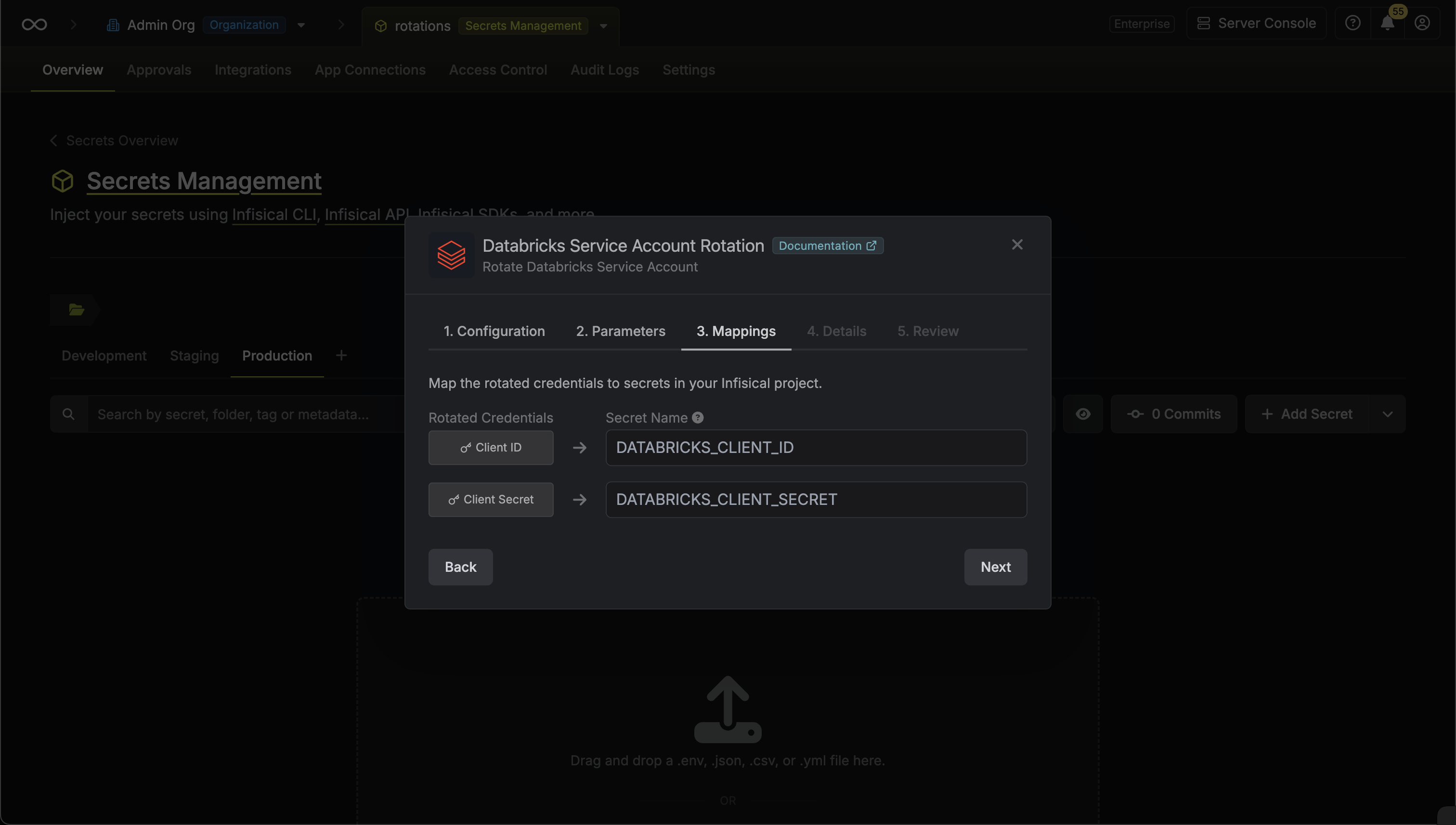
- Client ID - the name of the secret that the service principal Client ID will be mapped to.
- Client Secret - the name of the secret that the rotated OAuth Client Secret will be mapped to.
-
Give your rotation a name and description (optional). Then click Next.
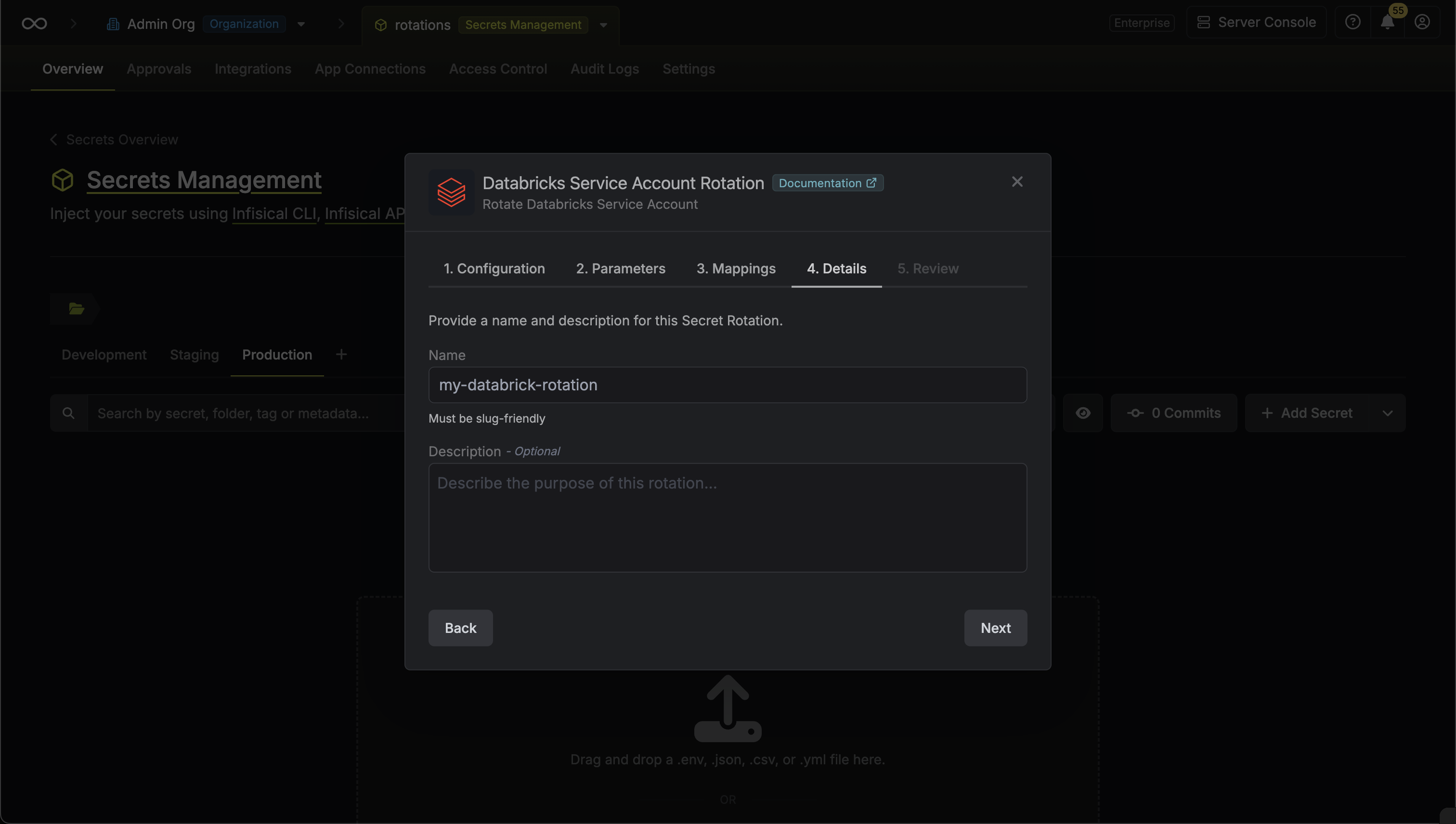
- Name - the name of the secret rotation configuration. Must be slug-friendly.
- Description (optional) - a description of this rotation configuration.
-
Review your configuration, then click Create Secret Rotation.
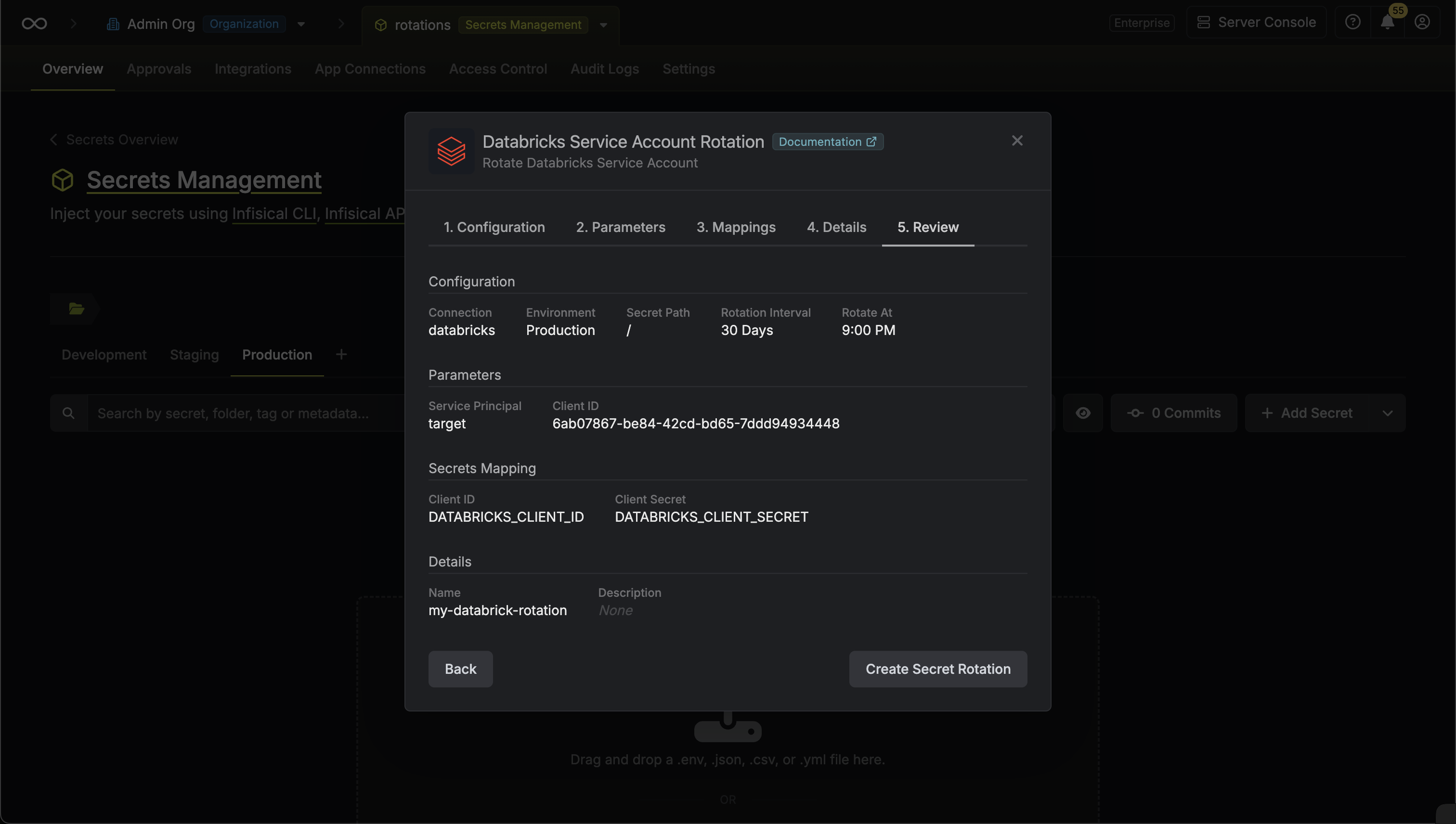
-
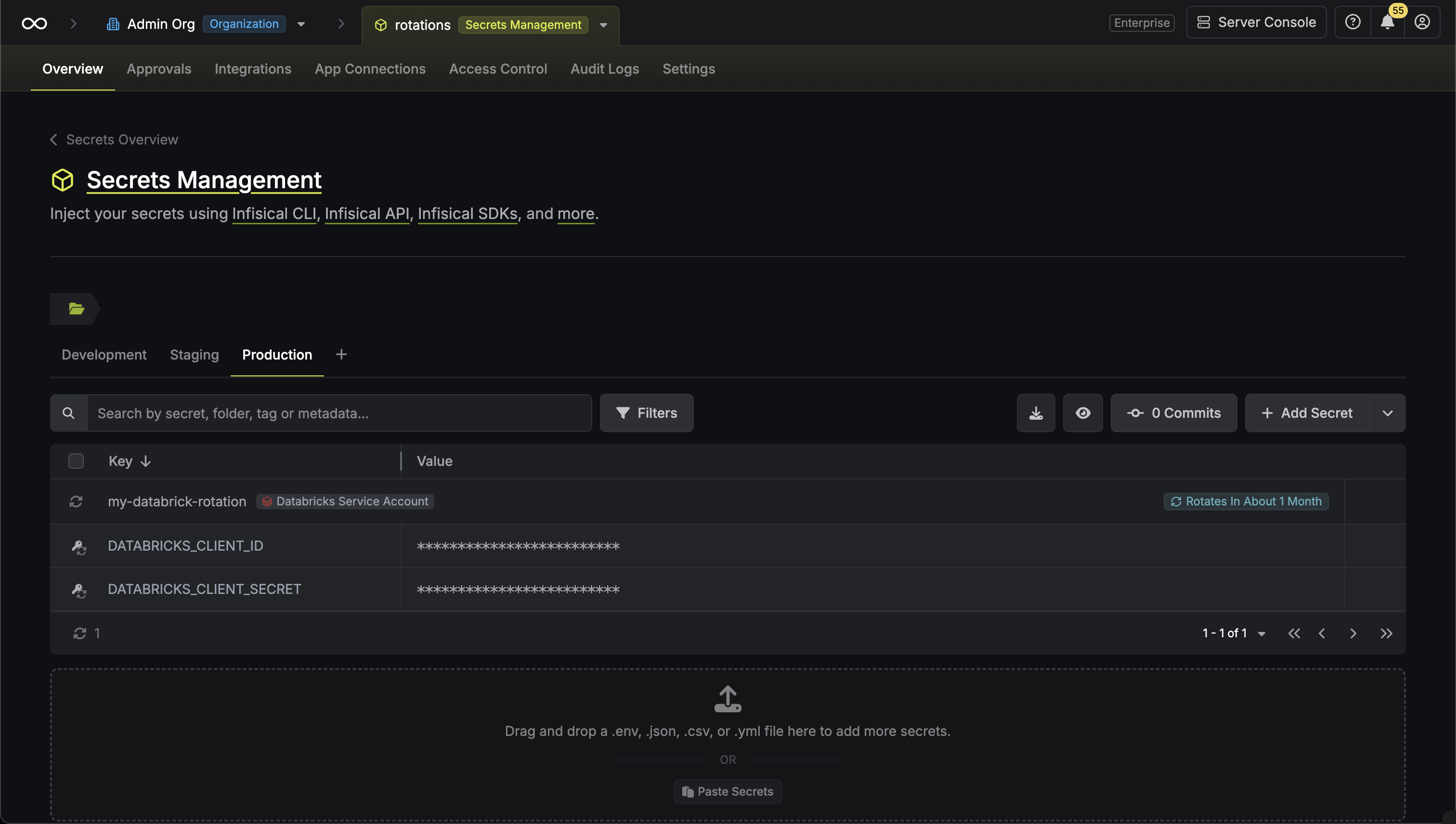
Your Databricks Service Principal Secret credentials are now available for use via the mapped secrets.
To create a Databricks Service Principal Secret Rotation, make an API request to the Create Databricks Service Principal Secret Rotation API endpoint.Sample request
curl --request POST \
--url https://us.infisical.com/api/v2/secret-rotations/databricks-service-principal-secret \
--header 'Content-Type: application/json' \
--data '{
    "name": "my-databricks-rotation",
    "projectId": "3c90c3cc-0d44-4b50-8888-8dd25736052a",
    "description": "my service principal secret rotation",
    "connectionId": "3c90c3cc-0d44-4b50-8888-8dd25736052a",
    "environment": "dev",
    "secretPath": "/",
    "isAutoRotationEnabled": true,
    "rotationInterval": 30,
    "rotateAtUtc": {
        "hours": 0,
        "minutes": 0
    },
    "parameters": {
        "servicePrincipalId": "76997828332531",
        "servicePrincipalName": "my-service-principal",
        "clientId": "..."
    },
    "secretsMapping": {
        "clientId": "DATABRICKS_CLIENT_ID",
        "clientSecret": "DATABRICKS_CLIENT_SECRET"
    }
}'
Sample response
{
    "secretRotation": {
        "id": "3c90c3cc-0d44-4b50-8888-8dd25736052a",
        "name": "my-databricks-rotation",
        "description": "my service principal secret rotation",
        "secretsMapping": {
            "clientId": "DATABRICKS_CLIENT_ID",
            "clientSecret": "DATABRICKS_CLIENT_SECRET"
        },
        "isAutoRotationEnabled": true,
        "activeIndex": 0,
        "folderId": "3c90c3cc-0d44-4b50-8888-8dd25736052a",
        "connectionId": "3c90c3cc-0d44-4b50-8888-8dd25736052a",
        "createdAt": "2023-11-07T05:31:56Z",
        "updatedAt": "2023-11-07T05:31:56Z",
        "rotationInterval": 30,
        "rotationStatus": "success",
        "lastRotationAttemptedAt": "2023-11-07T05:31:56Z",
        "lastRotatedAt": "2023-11-07T05:31:56Z",
        "lastRotationJobId": "3c90c3cc-0d44-4b50-8888-8dd25736052a",
        "nextRotationAt": "2023-11-07T05:31:56Z",
        "connection": {
            "app": "databricks",
            "name": "my-databricks-connection",
            "id": "3c90c3cc-0d44-4b50-8888-8dd25736052a"
        },
        "environment": {
            "slug": "dev",
            "name": "Development",
            "id": "3c90c3cc-0d44-4b50-8888-8dd25736052a"
        },
        "projectId": "3c90c3cc-0d44-4b50-8888-8dd25736052a",
        "folder": {
            "id": "3c90c3cc-0d44-4b50-8888-8dd25736052a",
            "path": "/"
        },
        "rotateAtUtc": {
            "hours": 0,
            "minutes": 0
        },
        "lastRotationMessage": null,
        "type": "databricks-service-principal-secret",
        "parameters": {
            "servicePrincipalId": "76997828332531",
            "servicePrincipalName": "my-service-principal",
            "clientId": "..."
        }
    }
}

